Keep growth authentic and your account safe
The archived FollowRio site promoted an automatic follow-and-unfollow extension. That product is not offered here. Today's guide focuses on work you can stand behind: useful content, genuine interaction, and careful account access.
Avoid artificial engagement
Instagram's community guidelines prohibit artificially collecting followers and repetitive spam activity. A quick number can obscure whether people actually want the content.
Protect account access
Keep login details in the official app or website, use a strong unique password, and review any third-party access you have granted. Remove access that is no longer needed.
Choose a sustainable alternative
Set a clear content promise, contribute to relevant conversations, and track actions that matter to the audience. These steps take longer, but they produce information you can use.
The account-access check
An old growth tool or shared login can outlive the project that created it. Set a recurring check for access and recovery information, using the current controls in the official app or website.
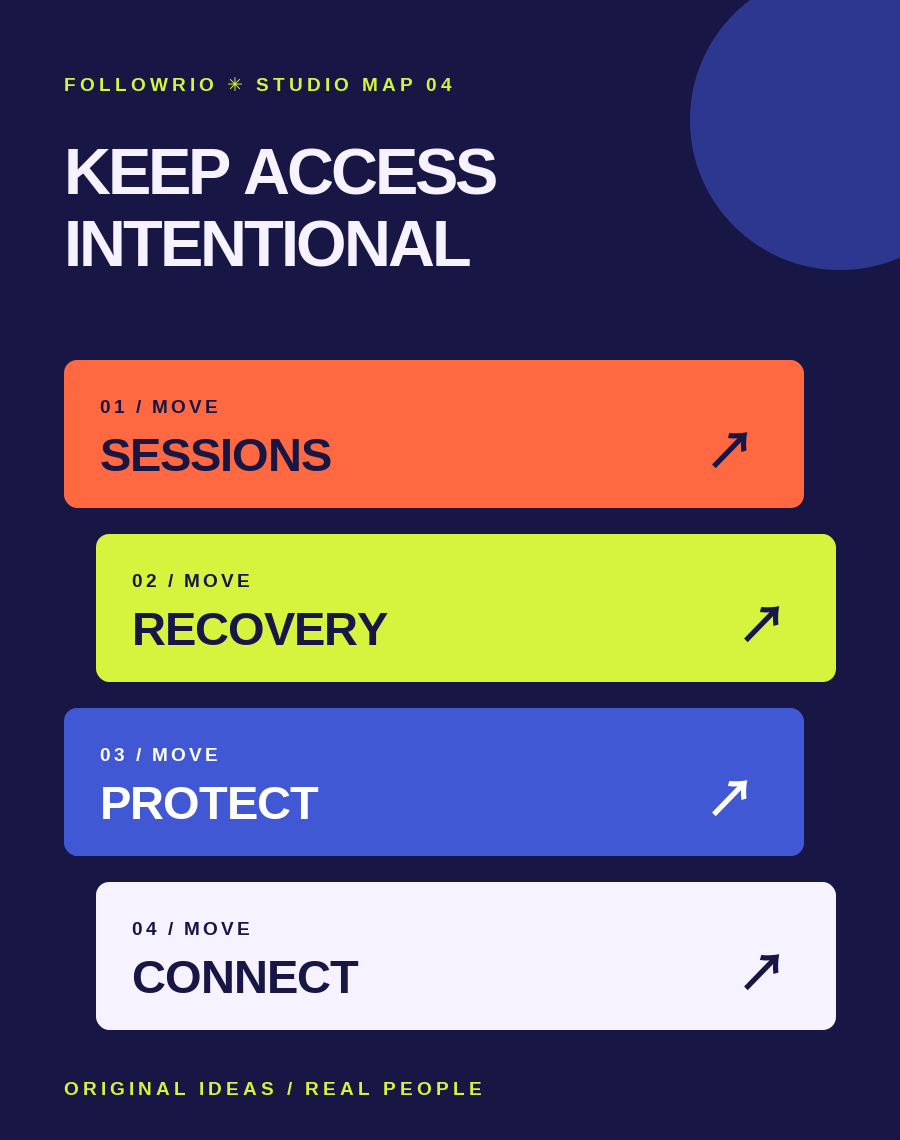
- Sessions
Review devices and recent login activity. Sign out of sessions you cannot explain.
- Recovery
Confirm that the email and phone number for recovery are current and controlled by the right person.
- Protection
Use a unique password and enable the strongest available two-factor method for your situation.
- Connections
Review connected apps and browser extensions. Remove access that is no longer needed or understood.
Imagine a small brand changing agencies. Before the handover, it reviews business access, removes accounts tied to the old contract, confirms recovery details and records which current colleague can approve a login request.
Security menu names change. Use the current official Instagram settings rather than following an old screenshot or a link from a direct message.
READ THE PRIMARY SOURCE / Meta: keeping Instagram safe and secure ↗
THIS WEEK ✳
Audit connected apps and remove any tool whose purpose or permissions you cannot explain.
Before you go.
Does this site offer the old extension?
No. This edition publishes independent guides and does not offer an extension, subscription or Instagram login.
Where should I review account access?
Use the current security and connected-app controls in the official Instagram app or website. Remove access you no longer recognize or need.
Check an urgent support message through a separate route
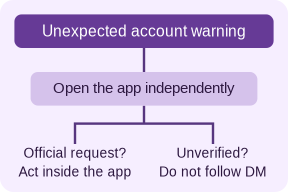
A message can copy a platform’s name and logo without coming from its support team. Verify a request through an independently opened official app or website before following a message link. The procedure below uses a fictional Instagram account warning; it requires no login or personal information on FollowRio.
- Leave the message’s links, QR codes, attachments and phone numbers unused. Open Instagram from your usual app icon or a trusted saved address.
- Review the account’s own security notices and recent official emails in its settings. Menu names can change. Use the app’s current Help route if you cannot find the control; a display name, screenshot or familiar logo does not confirm the sender.
- Handle a verified account request through that independent route. If you cannot verify it, do not submit credentials, recovery codes or a payment through the incoming message. Use the platform’s reporting controls where appropriate.
Fictional check: a DM says “Your account closes in 30 minutes; send your recovery code to appeal.” The time limit does not establish authenticity. Open the app independently and inspect the account notices. Meta’s linked security guidance says Instagram does not send account-security warnings by DM. Do not reply with the code or treat the sender’s suggested appeal page as the verification route.
If you already entered a password on the linked page, use the official app or site to review account security, change the exposed password and examine unfamiliar sessions and connected access. If you reused it, review the other affected accounts through their own official routes. This is a response checklist, not confirmation that an account has been compromised or recovered.
Private note to keep: time and channel ___; what the message requested ___; independent official route checked ___; notice found or still unverified ___; credentials exposed: yes/no/unknown ___; next account-security action ___. Do not copy passwords or recovery codes into the note.
Review a departing collaborator’s access without losing the work
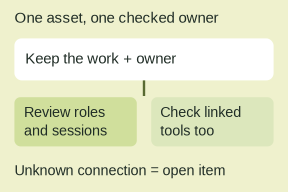
When a collaboration ends, “remove their access” is not a complete handover plan. First identify the work the studio must retain and the authorised person who will own it. Then review each access route. Do this through independently opened official account controls, not through a password request sent in a direct message.
Separate assets from permissions
- List the assets: the social profile, publishing workspace, shared media folder and any connected scheduling tool. Record who currently controls each one and which business purpose still needs it.
- Confirm the continuing owner: an authorised studio member should be able to reach the asset and its recovery route. A name in a handover document is not proof that the replacement can perform the necessary task.
- Review the departing person’s routes: examine assigned roles, relevant sessions, recovery details and connected applications separately where those controls exist. Do not assume that changing one role explains every connection.
- Record the checked outcome: note the action, responsible owner, time and remaining uncertainty. Keep passwords, recovery codes and personal identity documents out of this record.
A synthetic studio record
A designer leaves a fictional studio after a campaign. The studio finds three different conditions. The campaign folder has a continuing owner but still lists the designer as an editor. The publishing workspace lists the designer as its only administrator. A scheduling connection has no documented purpose.
The authorised owner first arranges and checks the continuing administrator’s access through the service’s normal process. The owner then reviews the designer’s role in that workspace and the folder. The undocumented scheduling connection remains a separate review item: its owner and purpose must be established before the review can be called complete. The record does not contain login details, and nobody asks the former collaborator to send a recovery code.
Completed line: “Campaign folder; current owner checked; departing editor access reviewed by the authorised owner; publication files retained; completion evidence recorded privately.” Unfinished line: “Scheduler; purpose and owner unconfirmed; responsible studio member named; review still open.” An unfinished line is more accurate than an unsupported “all secure”.
Reusable record: asset ___; continuing owner ___; purpose ___; access route ___; authorised action and time ___; evidence checked ___; unresolved dependency and owner ___. Share only the minimum record needed by the people handling the transition.
The FTC’s business-security guide recommends limiting sensitive-data and administrative access to the people who need it. Its contractor example also explains why credentials need review when a working relationship ends. Platform menu names and available controls vary. This is a planning exercise, not a claim that FollowRio changed permissions, recovered an account or tested a real collaborator’s login.